Free PlantUML to Flowchart Converter
Transform PlantUML code into interactive, editable flowcharts instantly. Paste your PlantUML activity or sequence diagrams - get visual diagrams you can customize and export.
PlantUML activity diagram converted
Standard PlantUML syntax to visual editor.

Input
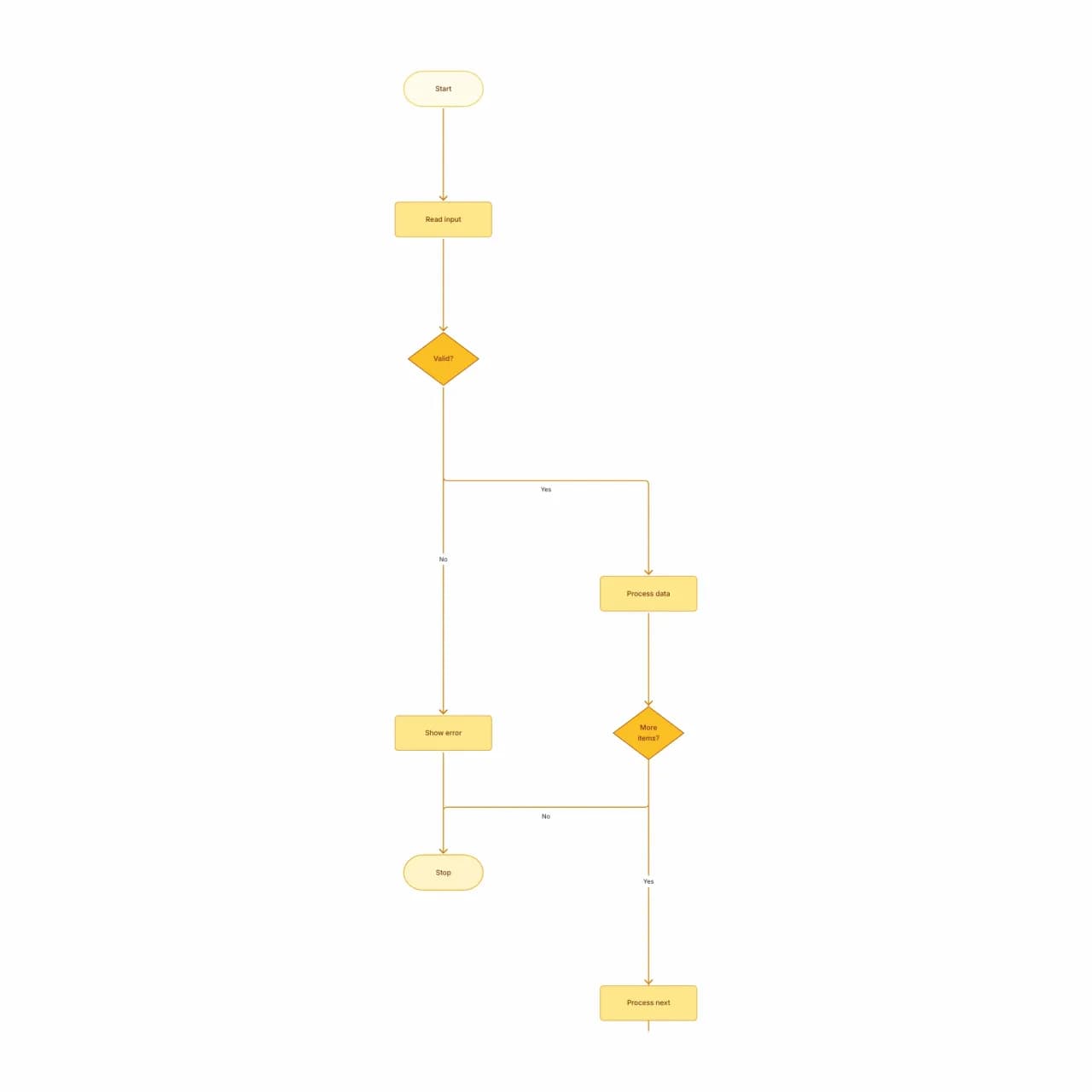
What the AI produces
PlantUML's text syntax is fast to write but hard to share with non-engineers. Convert here once, then collaborate on the visual output.
What is PlantUML-to-flowchart conversion?
Paste PlantUML activity diagrams (`@startuml … @enduml` with `start/stop/if/while`) and Flowova renders them as editable diagrams. Sequence and class diagrams in PlantUML are not handled by this tool — use sequence-diagram-maker for sequences, and an ER-style tool for class-like structures. The intended path is: write PlantUML in your repo, then bring it here for visual edits or to export to PNG/SVG for slides without setting up a local Graphviz toolchain.
Convert PlantUML to an Editable Flowchart
Paste Your PlantUML Code
Paste PlantUML activity-diagram syntax (@startuml...@enduml). Supports start/stop, if/else, while loops, fork/join (parallel), partitions (lanes), and arrow labels.
- `@startuml`/`@enduml` activity diagrams supported
- `start`, `stop`, `if`, `while`, `repeat` recognized
- Up to 20,000 characters per paste
Instant Visual Conversion
Flowova parses the PlantUML AST and renders it as a standard flowchart — same logic, prettier shapes, no PlantUML server dependency.
- Layout is regenerated, not preserved from PlantUML
- Class and sequence diagrams not handled here
- No Graphviz setup needed — runs in your browser
Edit and Export
Edit visually, restyle, and export as PNG/SVG. Useful when your team has legacy PlantUML and wants to escape the text-based workflow.
- Edit visually without re-rendering PlantUML
- Free PNG; SVG and Mermaid are Pro
- Theme for slides without leaving the editor
PlantUML to Flowchart Features
Activity Diagram Syntax
`@startuml`...`@enduml` with `start`, `stop`, `if/then/else/endif`, `while/endwhile`, `repeat/repeat while`, `:action;`, and `note`.
No Local Graphviz Needed
PlantUML traditionally requires Graphviz installed locally for rendering. Flowova renders in your browser — no toolchain setup, no Docker image.
Layout Regenerated
The Flowova layout is generated by Dagre, not by PlantUML's native layout engine. Result is consistent with other Flowova diagrams visually.
PNG / SVG / Mermaid Export
Export to PNG (free) for slides, SVG (Pro) for vector, or Mermaid (Pro) for cross-tool compatibility — convert your PlantUML to a portable format.
Other Diagram Types Excluded
Only the `@startuml ... @enduml` activity-diagram subset is parsed. Class, component, deployment, and sequence diagram blocks fall outside this converter's scope and return a clear error rather than attempting a degraded conversion that loses the original semantics.
Useful for Stakeholder Slides
Engineers write PlantUML for their repos; product/business reviews benefit from visual edits and slide-ready PNG. This bridges the two contexts.
When to use plantuml-to-flowchart
Use this tool for
- You wrote a PlantUML activity diagram in your docs repo and your PM or designer wants to edit it without learning the syntax.
- Producing slide-ready or print-ready PNG and SVG of a PlantUML diagram without standing up a local PlantUML server.
- Migrating a wiki full of legacy PlantUML diagrams into a visual editor everyone on the team can use.
- Sharing a PlantUML diagram externally where the audience can't run Graphviz to render it.
Use a different tool for
- PlantUML sequence diagrams — this tool only parses the activity-diagram subset. Describe the message flow in plain English to Sequence Diagram Maker, or use plantuml.com's own renderer.
- PlantUML class diagrams or component diagrams — those have a different visual model; PlantUML.com or a UML editor like StarUML is the right home.
- PlantUML state diagrams — describe the states and transitions to State Diagram Maker, or render in plantuml.com.
- You're authoring brand-new diagrams without an existing .puml source — Text-to-Flowchart accepts plain English and skips the PlantUML round-trip.
PlantUML to Flowchart FAQ
Related guides
Mermaid to Flowchart: Convert Mermaid Code to Visual, Editable Diagrams
Convert Mermaid diagram syntax to visual, editable flowcharts. Learn when text-based diagrams fall short and how to get the best of both worlds.
Sequence Diagram Guide: What It Is, UML Notation, and How to Make One Online
Learn what a sequence diagram is, how UML notation works, and when to use one for API design, microservices, and auth flows. Includes an AI sequence diagram option.
Ready to Try the AI Flowchart Generator?
Join tens of thousands of professionals who use Flowova to visualize their ideas. Start creating flowcharts with AI in seconds.
Get Started Free