Free Word to Flowchart Converter
Transform Microsoft Word documents into clear visual flowcharts instantly. Extract processes, procedures, and workflows from any DOC or DOCX file.
Drop your Word document here
or click to browse (up to 10MB)
A Word SOP to a flowchart
Specifically optimized for .docx procedural docs.

Input (.docx excerpt)
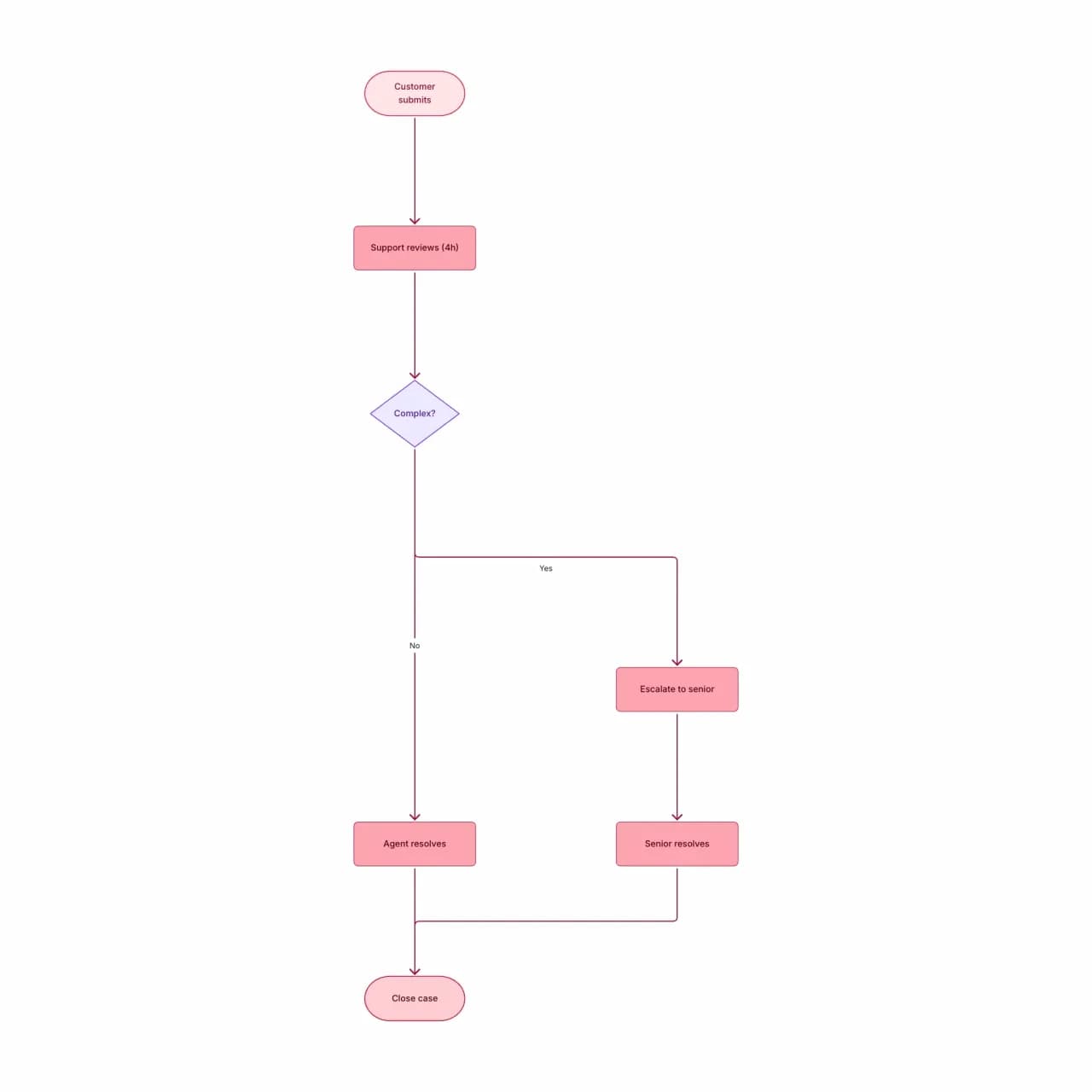
What the AI produces
The numbered list 'Step 1, Step 2, Step 3a/3b' becomes sequential nodes with a branching decision at 3 — Word's outline numbering survives the import. Embedded screenshots are skipped; only procedural text and table cells get parsed.
What is Word-to-flowchart conversion?
Upload .doc or .docx files containing procedures, SOPs, or process documentation, and Flowova extracts the workflow into an editable flowchart. It follows the document outline — heading hierarchy and numbered lists — so well-formatted procedural docs convert cleanly with the section boundaries intact. Tables embedded in Word are read as text first; complex multi-column layouts may need a quick post-generation cleanup.
Convert a Word Document to a Flowchart
Upload Word Document
Upload a Word document (.doc or .docx, max 10MB). The tool extracts procedural text and ignores formatting elements that don't affect flow.
- .doc and .docx files accepted
- Up to 10MB on free, 30MB on Pro
- Heading hierarchy preserved as sub-flow scope
AI Extracts Process
Flowova parses the document, finds procedural language, and constructs a flowchart from implied steps and decisions.
- Numbered lists become sequential steps
- Embedded tables read as text, not as structure
- Multi-column layouts may need post-edit cleanup
Edit and Export
Refine — Word docs often have non-procedural content that the AI must filter out. Expect to delete 1-3 nodes after generation.
- Add and rename nodes inline
- Theme for audit-ready presentation
- Free PNG; SVG and Mermaid are Pro
Word to Flowchart Features
.doc and .docx Both Work
Legacy .doc binary format and modern .docx OOXML format both supported. Up to 10MB on free, 30MB on Pro. Up to 100 pages per document.
Heading Hierarchy
Heading 1/2/3 levels structure the flowchart — top-level headings can scope distinct sub-flows so a 50-page SOP becomes navigable.
Numbered + Lettered Lists
Word's mixed numbering (1, 1.1, a, i) generates a hierarchical flow with parent-child relationships preserved.
Track Changes Ignored
Markup from Word Review (insertions, deletions, comments) is stripped — only the accepted text is processed. Resolve changes in Word first if you need the final state.
Embedded Image Skipping
Images embedded in the Word doc are skipped during parsing — only the text body, captions, and surrounding paragraph context are read. This keeps the procedural flow clean when documents include screenshots used as illustration rather than as content.
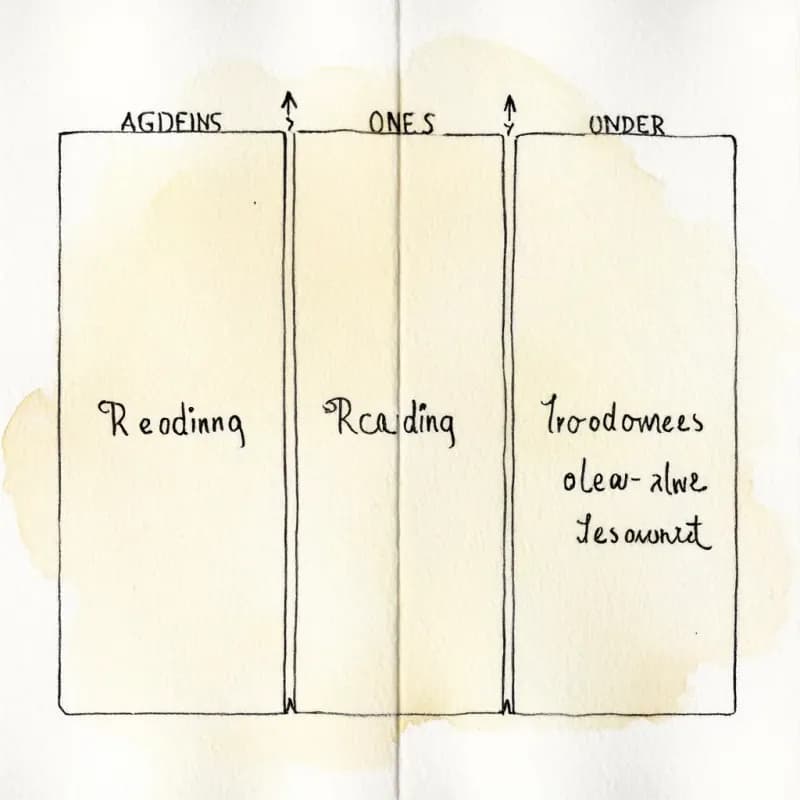
Multi-Column Layouts
Two-column or three-column Word layouts read top-to-bottom column-by-column. For complex layouts, a post-generation node reordering may be needed.
When to use word-to-flowchart
Use this tool for
- Word SOPs with Heading 1 / Heading 2 styles — the diagram inherits your section structure and reads cleanly back into your QMS.
- Legacy runbooks written in .docx years ago that nobody has refreshed because rebuilding the diagram from scratch felt too tedious.
- Compliance procedures distributed as .docx — convert the workflow once, then keep the diagram as the source of truth across revisions.
- Training packets where you want a visual companion alongside the textual steps for new-hire onboarding.
Use a different tool for
- Plain-text or .rtf documents — Document-to-Flowchart handles those without the .docx-specific parsing overhead.
- PDFs — even if your team distributes a Word version of the PDF, re-extract from the original PDF for a cleaner read.
- Step lists trapped inside Word tables — convert the table to a spreadsheet first; Excel-to-Flowchart preserves the column-as-branch semantics.
- Heavy .docx files where the value is in embedded SmartArt or OLE objects — the parser strips those; screenshot the embedded graphic and use Image-to-Flowchart.
Word to Flowchart FAQ
Related guides
How to Make a Flowchart in Word: Step-by-Step Guide (+ Faster Alternative)
Learn how to create flowcharts in Microsoft Word using SmartArt and shapes. Complete tutorial with formatting tips, limitations to know, and a faster AI alternative.
How to Make a Flowchart: A Complete Beginner Guide for 2026
Learn how to create effective flowcharts from scratch. This step-by-step guide covers flowchart basics, symbol meanings, design tips, and the best tools to use in 2026.
Ready to Try the AI Flowchart Generator?
Join tens of thousands of professionals who use Flowova to visualize their ideas. Start creating flowcharts with AI in seconds.
Get Started Free